
Characters in Midnight commander via Putty from Windows 8
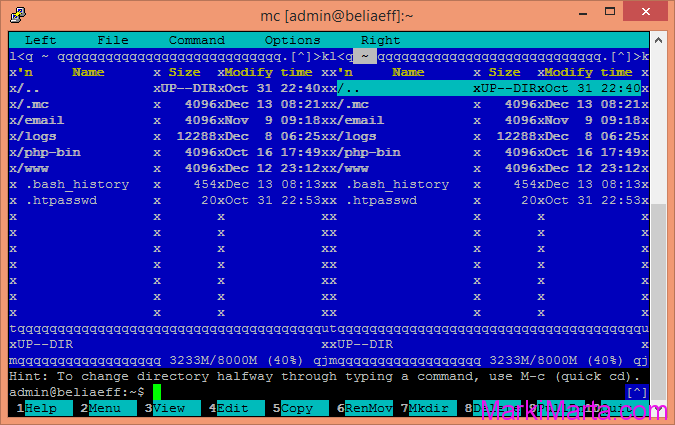
When I first started Putty on my Windows 8.1 x64, connected to my server and ran Midnight Commander, I saw picture like this (see drawing 1). Instead of separating lines there were unreadable characters. It wasn't what I expected to see and the first thing came in my mind is to fix it.
Drawing 1. Midnight Commander with unreadable characters
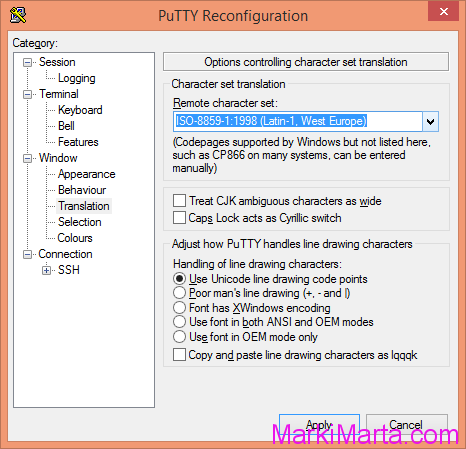
To solve a problem I had to change in Window – Translation setting Remote Character set to " ISO-8859-1:1998 (Latin-1, West Europe)" (See Drawing 2). After restarting MC everything ok.
As the result, Midnight Commander in Putty looks fine.
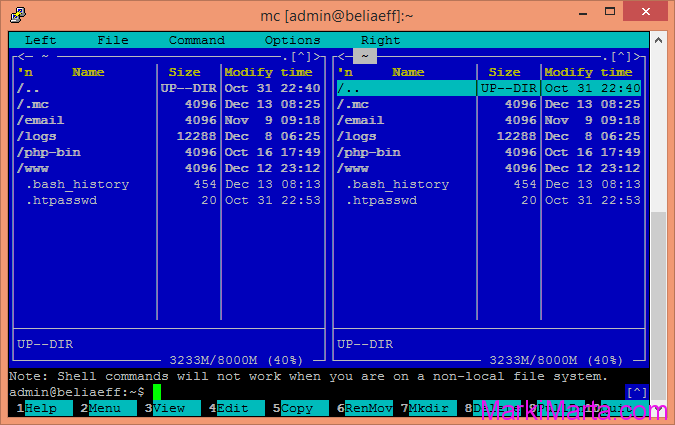
Midnight Commander in Putty looks fine
 Net 10.0 is not available for Azure Functions. How to fix
 Custom Label with multiple styles in TextField of Fluent UI
 First impressions after using the new SPFX 1.22.2 with Heft