
Net 10.0 is not available for Azure Functions. How to fix

When I decided to add an Azure Function project to the solution, I found out that I can not create Azure Function with Net 10.0 in Visual Studio 2026. I installed this version only because of Net 10! What to do?
As it often happens, not all the features well implemented. Some of them are forgotten 🙂
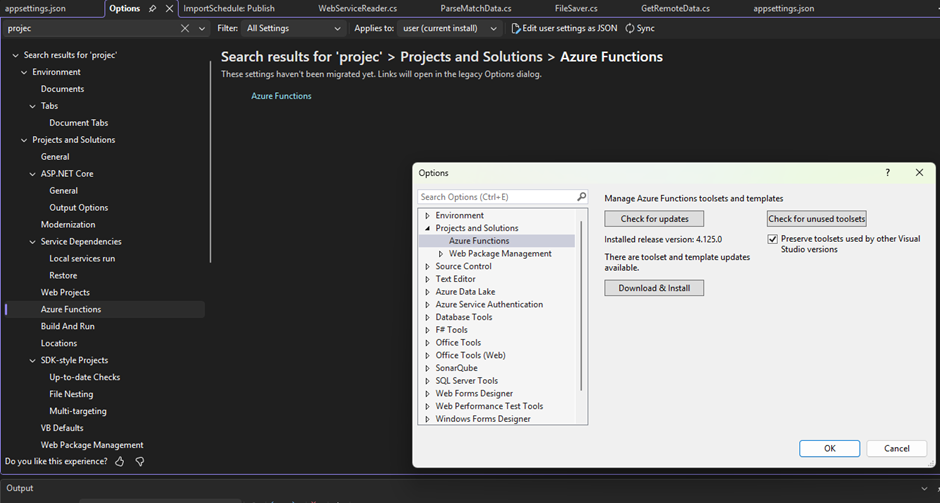
To add Net 10 support for Azure Functions, you need to install an update for Azure Functions. To do it, open Tools > Options > Projects and Solutions > Azure Functions. Then you need to install an update for Azure function.
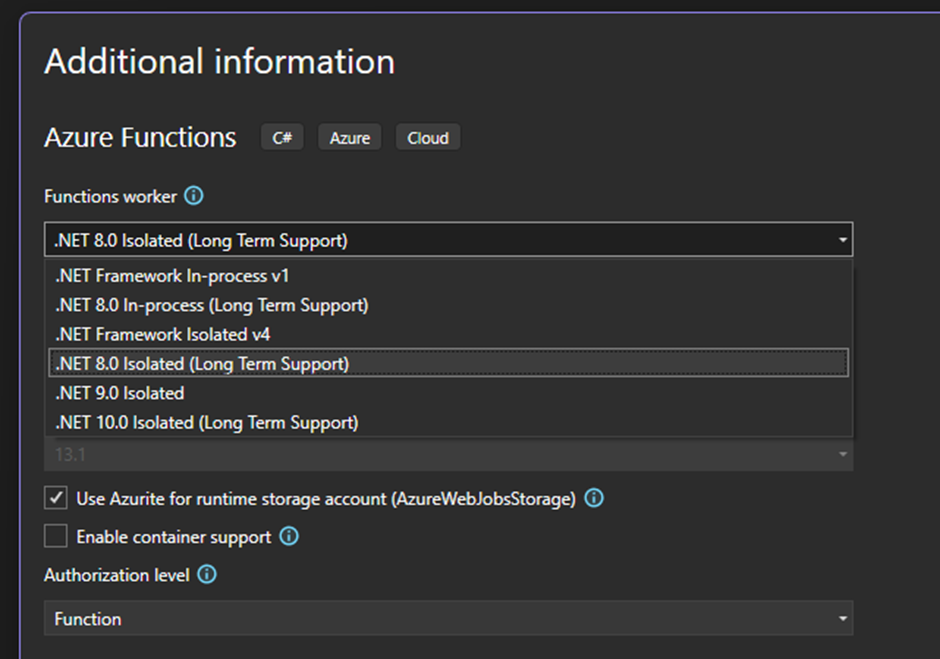
After installing the update, Net 10 is available for the Azure Function Projects.
 Changing the Runtime Environment for an Azure App Service
 Azure.RequestFailedException when start App in Visual Studio
 Import Azure SQL Database to a local SQL instance