

The red star in SharePoint form for required fields can be written as <span> control with class "ms-formvalidation":
<span class="ms-formvalidation"> *</span>
The red star in SharePoint form for required fields can be written as <span> control with class "ms-formvalidation":
<span class="ms-formvalidation"> *</span>
I'm preparing to install Microsoft SharePoint Server 2016 to machines in the VLAN without access to Internet. All the distibutives of SharePoint ask for prerequisites which must be downloaded and installed. Unfortunately, you should get them by yourself. If you have internet access, than it's not a problem. But if you don't have it?

While removing Site Content Type you got the error that "The content type "My Content Type" is part of an application feature". The fix is rather easy and simple.
Managed metadata is very good and powerful tool in SharePoint. But it has some not very comfortable specialties during migration data from one farm to another, for example, from test environment to productive. You can export your managed metadata from one site and import it into another one. But here's the problem that each termset and term has its own GUID. After you import managed data into the new farm, new GUID’s will be assigned to managed data items.
For a massive update of a SharePoint list items I didn't want users, who subscribed for alerts about changes in the SharePoint list, got the messages about it. There were 2 ways to do it: 1 - temporary to disable SMTP server (change SMTP settings to wrong ones) and delete files from Queue folder after; 2 – temporary to disable alerts for a list. This story is about the second way.
To recover password of SharePoint Farm, you need to log on with a Local Administrator account on a server with Central Administration. To recover passwords for Web Applications or services you need to log on with Administrator account to server where it is running. (read more...)
SharePoint 2010 can be installed as a Farm installation or as Standalone one. Standalone installations means that all the components are on the same machine (SharePoint, SharePoint services and built-in database) and this type of installation is not extensible.
In SharePoint timer job history I have noticed that there's the error in starting User Profile synchronization:
Could not connect to http://spsrv:5725/ResourceManagementService/MEX. TCP error code 10061: No connection could be made because the target machine actively refused it <ip-adress:port>. (read more...)
Most of all I use PowerShell for administration of SharePoint portal. But also I use it when I need to make some actions with SharePoint lists – get items, update items, remove items (link how to remove items) or to make report based on lists on SharePoint. (read more...)
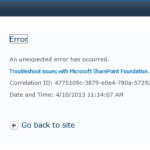
When user tells you that he has got an error using SharePoint portal service, you ask him about the page he was, which buttons he clicked and, if user hasn’t still closed browser, ask to send you screenshot of the error. It contains very useful information – CorrelationId. (read more...)